MariaDB logo MariaDB · 10.3 → 11.4 · RDS · SkySQL · Galera

The MariaDB backup tool that

Point SQLBackup at MariaDB and it handles the rest — native mariadb-dump with --single-transaction for a consistent InnoDB snapshot, streaming gzip, client-side AES-256 encryption, and shipping offsite to S3, SFTP or local storage on a schedule. Then restore any database with mariadb in minutes.

99.9%
Backup success
5 min
Typical restore
256-bit
AES-GCM
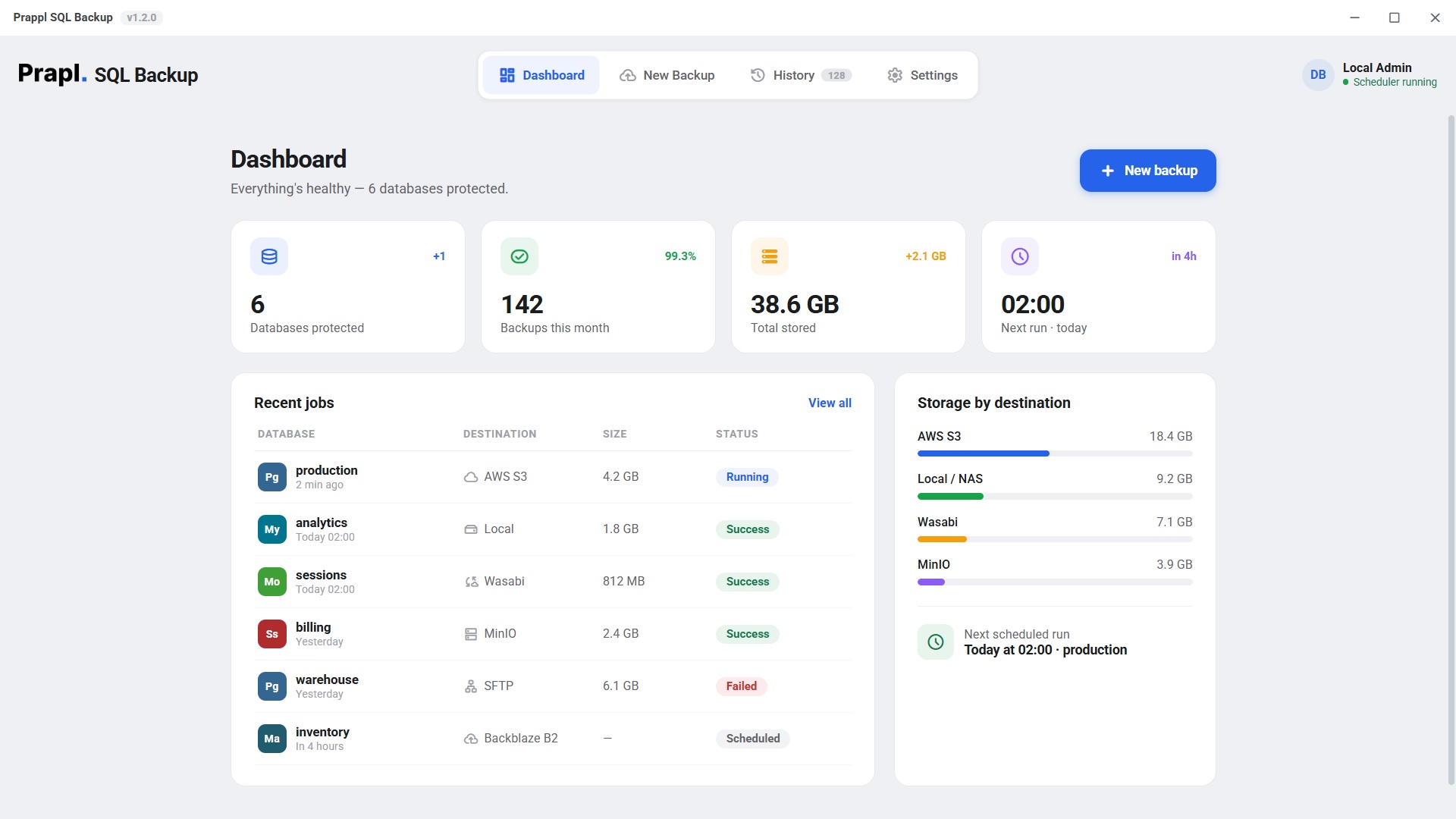
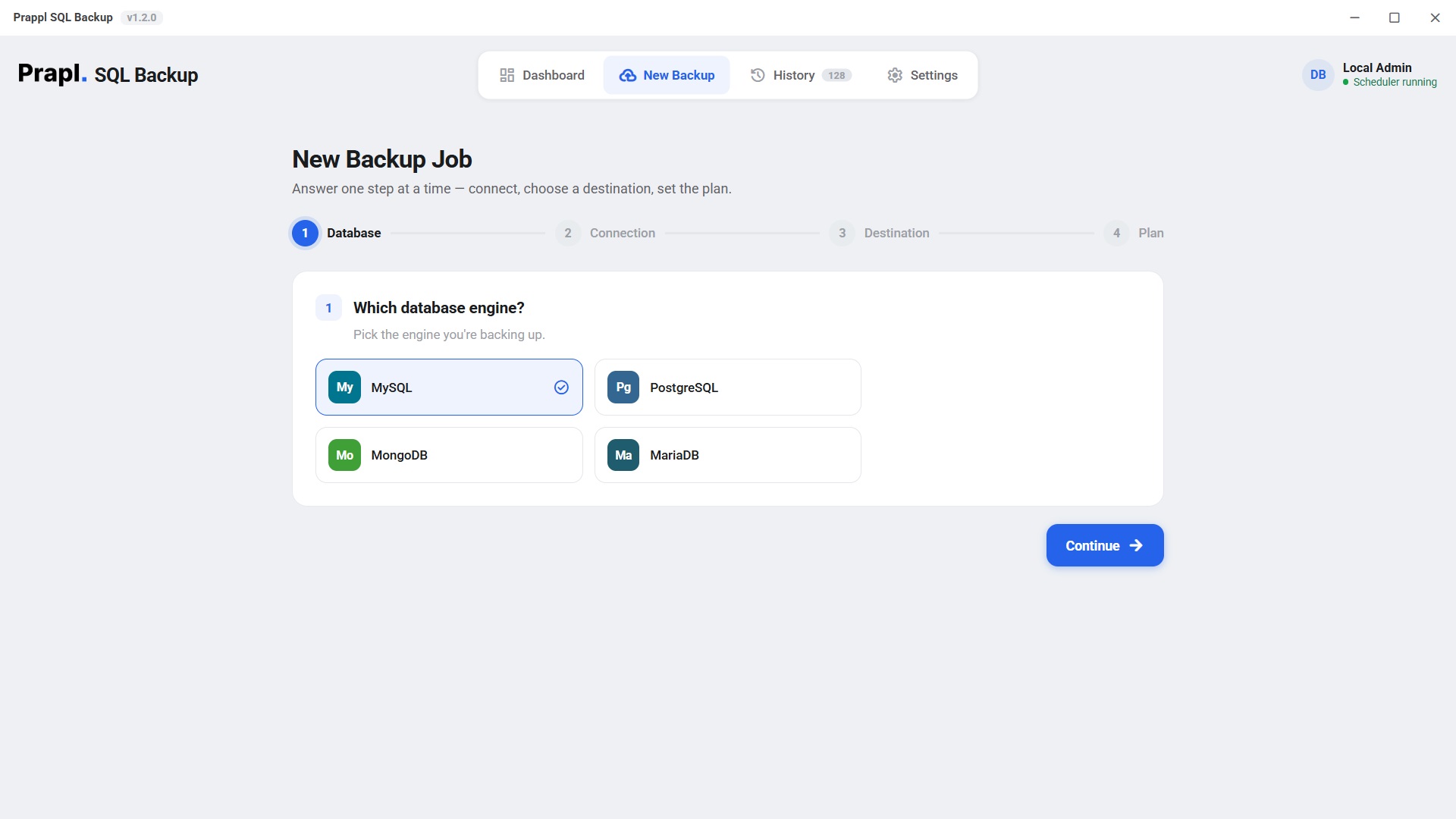
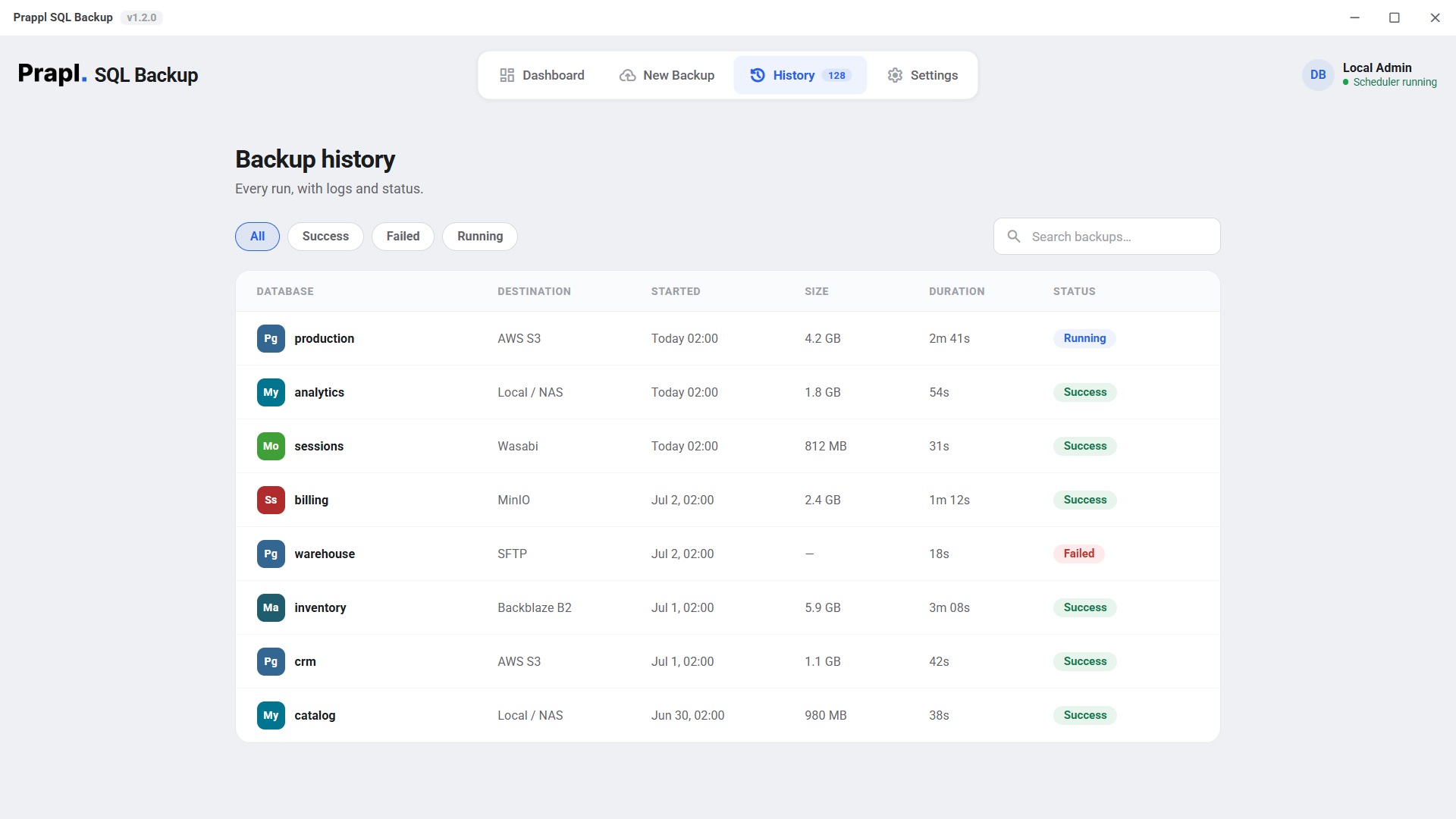
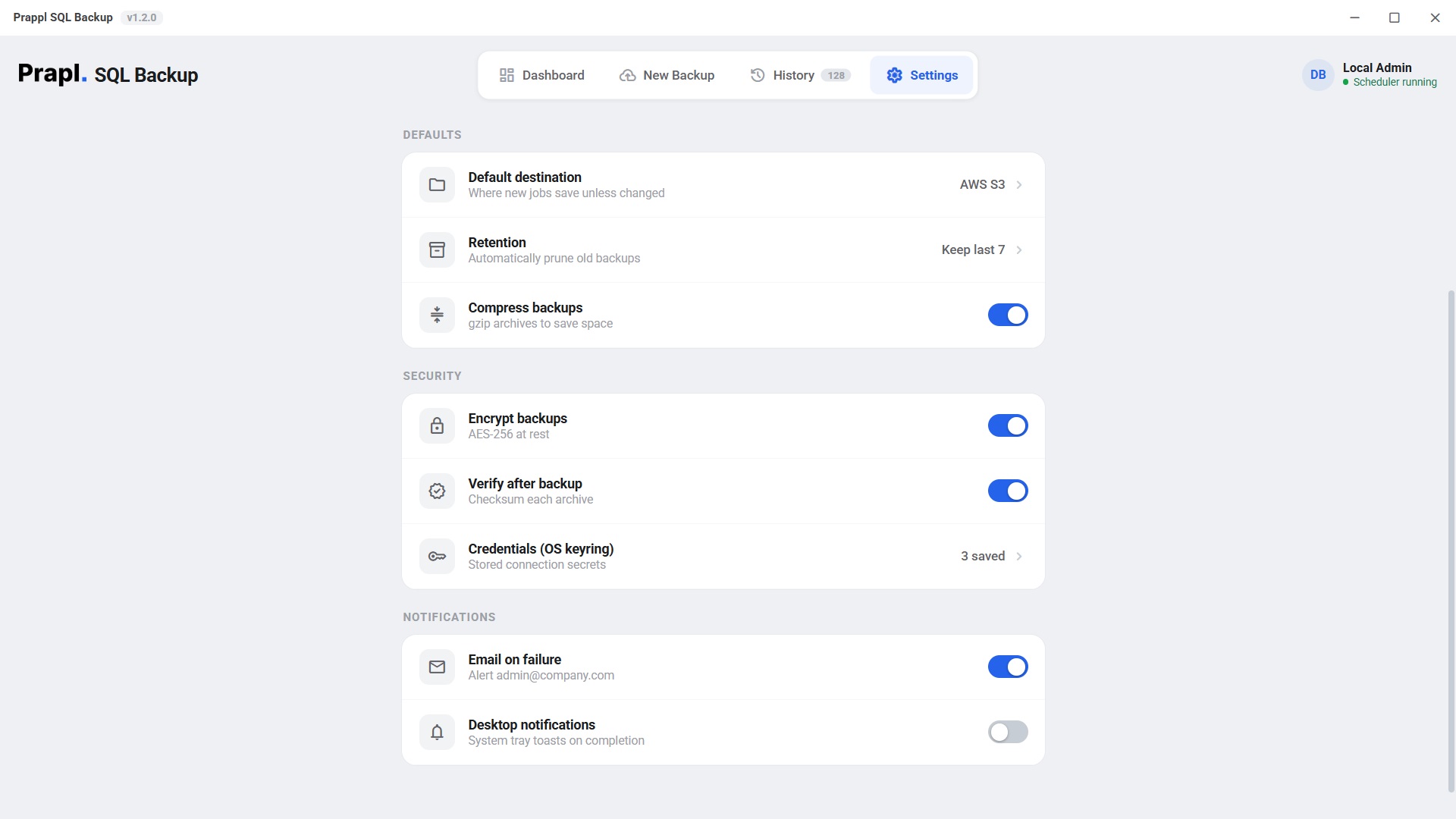
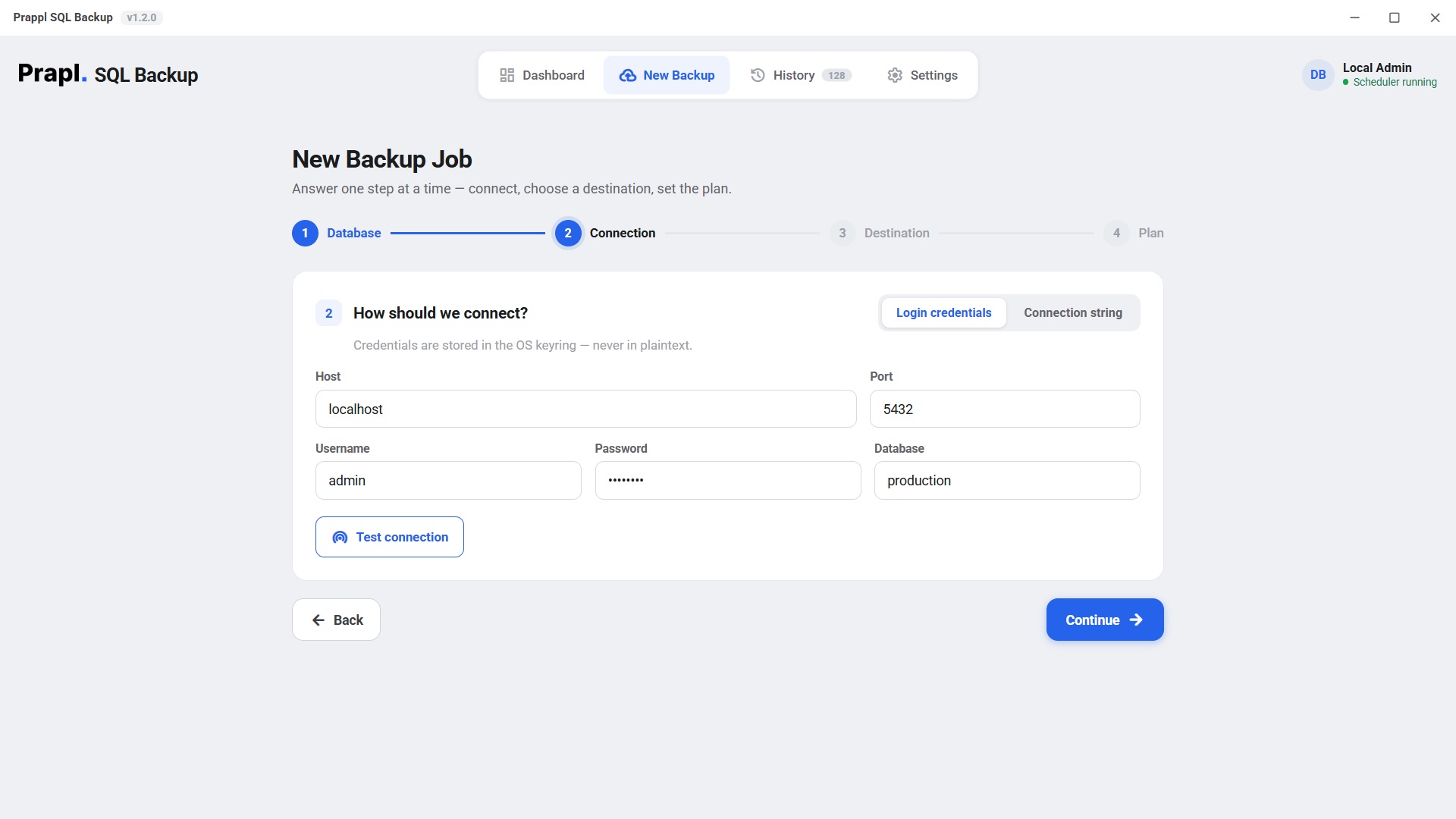
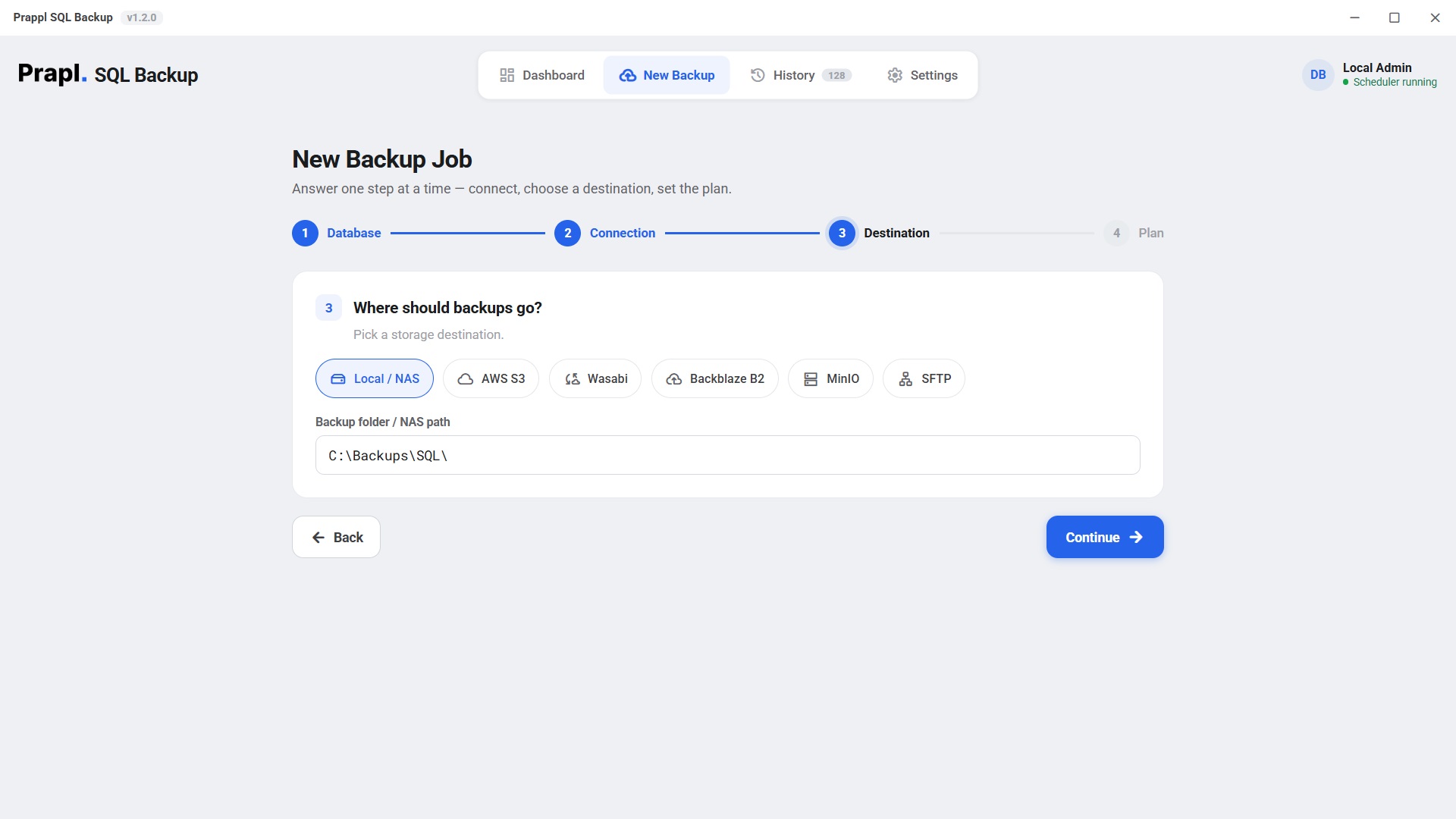
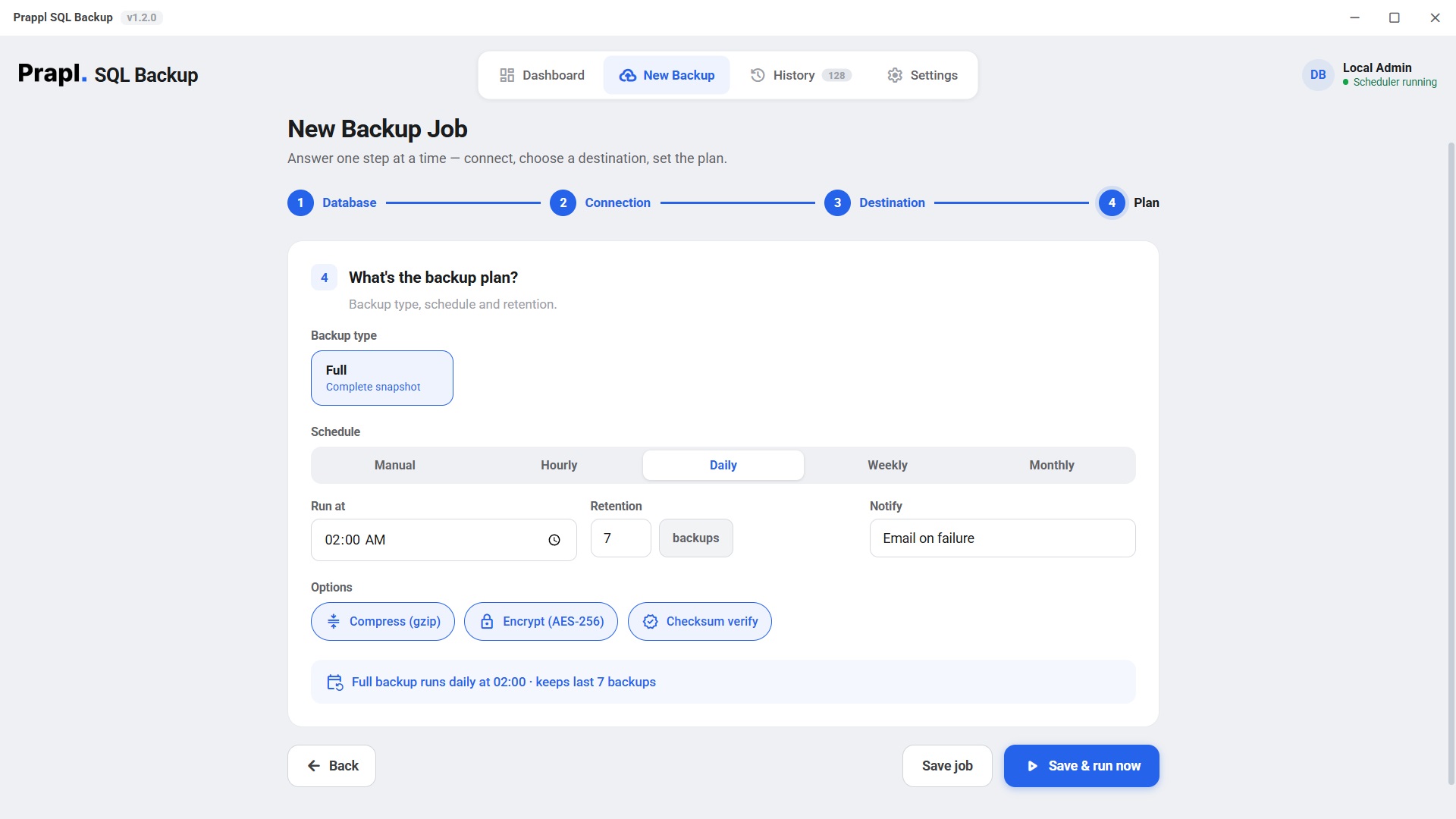
SQLBackup dashboard showing databases protected, backups this month and storage by destination New Backup wizard step 1 — choosing the MariaDB database engine Backup history screen listing every run with size, duration and status Settings screen with encryption, verify-after-backup and OS keyring credential options
analytics · backed up 2 min ago
mariadb-dump/ --single-transaction/ streaming gzip/ AES-256-GCM/ Amazon S3/ SFTP/ Galera/ mariadb restore/
10.311.4
MariaDB versions
6
Storage destinations
256-bit
AES-GCM encryption
1 cmd
To fully restore
Why a dedicated tool

A cron job running mariadb isn't a backup strategy

It breaks silently after a version upgrade, leaves plaintext dumps on disk, and nobody ever tests the restore. SQLBackup fixes all three — and keeps a record that it did.

Every MariaDB, one workflow

Self-hosted, Amazon RDS for MariaDB, SkySQL, a Galera cluster, or a container — SQLBackup uses MariaDB's own mariadb-dump with --single-transaction, so InnoDB stays consistent without locking writes. Portable .sql, ready to restore anywhere.

  • MariaDB 10.3 → 11.4 LTS
  • RDS · SkySQL · Galera
  • routines · triggers · events
  • SSL / TLS aware

Encrypted before it leaves the box

Backups are compressed and encrypted with authenticated AES-256-GCM on your machine. Your S3 bucket or SFTP host only ever stores ciphertext — and a tampered dump fails loudly on restore instead of corrupting production.

  • scrypt-derived key
  • per-chunk nonce
  • secrets in OS keyring
  • checksum verified

Scheduled & monitored

A cron scheduler runs every job on time and records the result in a history log — with email alerts the moment one fails.

Offsite, in many places

Send each dump to local/NAS, Amazon S3, Wasabi, Backblaze B2, MinIO and SFTP at once, each with its own retention window.

Restore you can trust

One command downloads, decrypts, decompresses and mariadbs into a fresh database — so you verify before you promote.

How to use it

Set up an encrypted MariaDB backup in four screens

Real screenshots from the app — click a step to see it. The New Backup wizard asks one question at a time, so you never have to know MariaDB internals to get a safe, offsite backup.

Works everywhere MariaDB runs

Pick where your database lives

Managed or self-hosted, SQLBackup connects the right way — including the fiddly bits like SSL and cluster topology.

Self-hosted Amazon RDS SkySQL Galera Docker
Inside one backup

Watch a MariaDB backup ride the pipeline

Every backup streams through four stages — nothing is ever fully loaded into memory. Click a stage to dig in.

1 · mariadb-dump
native tool
2 · Compress
streaming gzip
3 · Encrypt
AES-256-GCM
4 · Ship
S3 · SFTP · local
The part that matters

A backup you can't restore is just wasted disk

With SQLBackup, recovering a MariaDB database is one command — download, decrypt, verify, decompress, and mariadb into a fresh database. Press play to watch every step.

# restore the latest analytics backup from S3 sqlbackup restore --job mariadb_nightly_full \ --from amazon_s3 --database analytics_restored

Tip: schedule a monthly test restore — an untested backup isn't a backup yet.

Restore: analytics from Amazon S3
Locate backupfind the key in the destination
Downloadpull the encrypted object · 612 MB
Decrypt & verifyAES-256-GCM integrity check
Decompressrestore the original dump · 2.41 GB
mariadb restorerebuild into analytics_restored
sqlbackup · encrypt · analytics
Plaintextanalytics_full_20260627.dump.gz
scrypt(password, salt) → 256-bit key · fresh nonce
Ciphertext
FormatMAGIC(9) · SALT(16) · [ LEN · NONCE(12) · CT+TAG ] × N
256-bitAES key
96-bitnonce / chunk
64 KBchunk size
Security

Your MariaDB data leaves encrypted — or not at all

scrypt key derivation

Your password becomes a 256-bit key via scrypt with a random per-file salt — slow to brute-force by design.

Per-chunk authentication

GCM tags mean a corrupted or altered dump fails to decrypt — loudly — instead of restoring garbage into production.

Secrets in the OS keyring

Connection passwords live in Windows Credential Manager or the Linux Secret Service — never in a plaintext config file.

No middleman

No account, no phone-home. Backups go straight from your machine to your storage. We never see your data or your keys.

Read the security model
How it compares

SQLBackup vs a DIY cron job vs cloud snapshots

The honest trade-offs. SQLBackup is built for scheduled, encrypted, portable logical backups you actually control.

CapabilitySQLBackupDIY mariadb-dump + cronManaged cloud snapshots
Automatic scheduling Built-in cronManual crontab Provider default
Client-side AES-256 encryption Always Plaintext dumpsAt rest, provider-held keys
Offsite to your own storage S3 · SFTP · NASScripts you maintainLocked to provider
Portable — restore anywhere Standard mariadb mariadb Same provider only
Failure alerts & history Email + log Fails silentlyBasic console
You hold the keys Always
Cost$5/mo, flatYour timeStorage + egress
Why trust it with your database

Built by engineers who've restored MariaDB under pressure

The SQLBackup team

Database & backend engineers · makers of SQLBackup

We built SQLBackup after living the nightmare ourselves: a production MariaDB database wiped by a bad deploy, and a "nightly backup" that had been failing silently for weeks. Every default in this tool — native dumps, encryption on, verify-after-backup, tested restores, failure alerts — comes from a lesson we learned the hard way so you don't have to.

Native MariaDB tooling AES-256-GCM · scrypt Documented backup format

Experience

Forged from real 3 a.m. restores, not a spec sheet. The workflow mirrors how experienced engineers actually recover MariaDB.

Battle-tested defaults

Expertise

Uses MariaDB's official tooling and audited cryptography (AES-256-GCM, scrypt) — plus real edge-case handling like SSL and cluster topology.

Native tools · audited crypto

Authoritativeness

An openly documented backup format and standard mariadb output mean your data is never trapped in a black box — restore it anywhere.

Documented · no lock-in

Trustworthiness

No telemetry, no account for your data, no master key. Backups go straight from your machine to your storage — and pricing is one honest flat rate.

No phone-home · you keep the keys

Sources & further reading

SQLBackup builds directly on MariaDB's own, documented tools. Verify our approach against the official docs:

Loved by MariaDB teams

Teams that stopped worrying about backups

From solo founders to platform teams — here's what people say after switching to SQLBackup.

Sample testimonials shown for layout — replace with your own verified customer quotes before launch.

Who it's for

MariaDB backups that fit how you work

🚀

SaaS & startups

Protect the production database without hiring a DBA. Nightly encrypted dumps to S3, with an email the moment one fails.

🏢

Agencies

Give every client a tidy, encrypted, offsite MariaDB backup — and restore any of them to a new server in minutes.

🛡️

Compliance-minded teams

Encryption at rest by default, retention you control, and a clear, tested restore path auditors like to see.

🧪

Dev & data teams

Grab a consistent snapshot to spin up staging or run analysis — restore a production dump into a throwaway database safely.

☁️

Managed / cloud users

Own a portable copy of your managed MariaDB that isn't locked to one provider — restore it anywhere mariadb runs.

🏠

Self-hosters

Back up your self-hosted apps' database to a NAS and a cheap cloud bucket. No subscription lock-in, no telemetry.

Technical specs

What's under the hood

Backup engine
mariadb-dump --single-transaction --routines --triggers --events (the tool formerly named mysqldump)
Restore
mariadb dbname < dump.sql (the client formerly named mysql)
Versions
MariaDB 10.3 → 11.4 LTS · ships up-to-date client tools · version-aware dumps
Clusters
Galera-cluster friendly — take a consistent logical dump from any single node
Managed support
Amazon RDS for MariaDB, SkySQL (managed MariaDB) · TLS endpoints
Encryption
AES-256-GCM, key via scrypt, per-file salt, per-chunk nonce · secrets in OS keyring
Destinations
Local / NAS, Amazon S3, S3-compatible (Wasabi, Backblaze B2, MinIO), SFTP
Scheduling & retention
Manual / hourly / daily / weekly / monthly · keep-last-N per destination
Platforms
Windows 10/11 & Linux · desktop app and headless CLI/agent
MariaDB backup FAQ

Questions, answered

Yes. SQLBackup runs MariaDB's own mariadb-dump (the tool formerly named mysqldump) with --single-transaction, plus --routines --triggers --events, so InnoDB tables get a consistent snapshot without locking writes. Restores use the standard mariadb client.

MariaDB 10.3 through 11.4 LTS. The app ships matching client tools so a server upgrade never silently breaks your backups.

Yes. For a Galera cluster, SQLBackup takes a consistent logical dump from any single node with --single-transaction. It also connects to Amazon RDS for MariaDB and SkySQL over TLS, dumping just like a local server.

Yes. The same app backs up MariaDB, PostgreSQL, MySQL and MongoDB — each with its own native dump tool — so one tool and one flat price covers every database on the machine.

Backups are encrypted client-side with authenticated AES-256-GCM before anything leaves your machine — the key is derived with scrypt and a random per-file salt. Connection secrets live in the OS keyring (Windows Credential Manager / Linux Secret Service), never in a plaintext config file.

Yes. With checksum verification enabled, each archive is hashed and checked after it's written, and the AES-256-GCM tag proves integrity again on restore — a corrupted or tampered dump fails loudly instead of restoring garbage.

SQLBackup takes portable logical dumps with mariadb-dump on a schedule — fast to restore anywhere. That's separate from physical hot-backup tools like mariabackup and from binlog-based point-in-time recovery, which you can keep running alongside it.

$5/month, billed annually as a single $60 payment — one plan, every feature, unlimited databases. Try it free for 15 days (no credit card), backed by a 14-day money-back guarantee, with no auto-renewal. See the pricing page.
One tool, every database

Also backs up your other databases

One flat price covers every engine on the machine. Explore the others:

Back up MariaDB tonight

Try every feature free for 15 days — no card, no charge. Keep it for $5/month, billed annually, with a 14-day money-back guarantee on your purchase.

15-day free trial 14-day money-back No auto-renewal